← Back to blog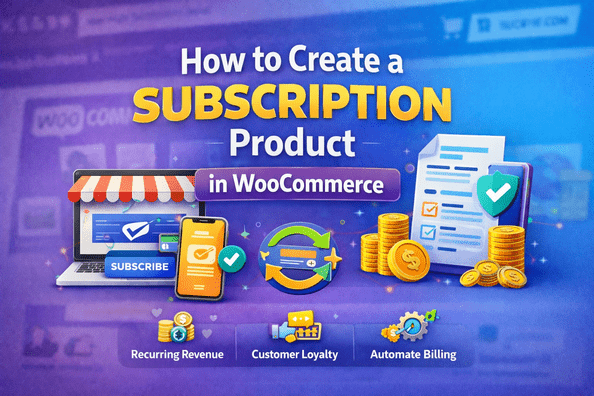
WordPressWooCommerceE-commerce
How to Create a Subscription Product in WooCommerce
A
Alex
Feb 3, 2026 · 3 min read
How to Create WooCommerce Subscription Product (Step-by-Step Guide 2026)
WooCommerce subscription product setup is one of the most powerful ways to build recurring income in 2026. Instead of selling a product once, you can charge customers automatically on weekly, monthly, or yearly basis. This business model is widely used by SaaS companies, online coaching platforms, digital services, and membership websites to generate predictable revenue every month. In this complete guide, you will learn how to create WooCommerce subscription product step-by-step, configure billing, set automation, and grow your recurring revenue business easily.Why Offer Subscription Products
Using a WooCommerce subscription product model gives your business long-term stability and predictable income.- 💰 Recurring monthly or yearly revenue
- 📈 Higher customer lifetime value (CLV)
- 🔁 Automated billing system
- 📦 Works for digital + physical products
- 📊 Better business forecasting
- 🔐 Strong customer retention system
Install WooCommerce Subscriptions Plugin
To create WooCommerce subscription product, you need the official plugin.- Go to WordPress Dashboard
- Click Plugins → Add New
- Search “WooCommerce Subscriptions”
- Install and Activate plugin
Create WooCommerce Subscription Product
Now start creating your first subscription product:- Go to Products → Add New
- Enter product title
- Add description and images
- Select product type → Simple Subscription
Configure Product Details
Now optimize your product for SEO and conversions:- Add detailed product description
- Write short description for quick view
- Upload high-quality images
- Set category and tags
- Highlight benefits clearly
Pricing & Billing Setup
This is the most important part of WooCommerce subscription product setup.- Set subscription price
- Choose billing cycle (weekly/monthly/yearly)
- Add signup fee if needed
- Enable free trial option
- Set subscription duration
Inventory & Shipping Setup
If you are selling physical subscription products:- Enable stock management
- Set inventory limits
- Configure shipping class
- Define delivery frequency
Automation System
WooCommerce automatically handles most subscription tasks:- Automatic payment renewal
- Email reminders for billing
- Failed payment retries
- Subscription upgrade/downgrade
- Customer subscription dashboard
Marketing Strategy
To grow your WooCommerce subscription product, marketing is essential:- Create SEO landing pages
- Run email marketing campaigns
- Offer yearly discounts
- Use social media promotions
- Run referral programs
FAQ
What is WooCommerce subscription product?
It is a product that charges customers automatically on a recurring basis.Can I sell physical subscription products?
Yes, WooCommerce supports both digital and physical subscription products.Do I need a plugin?
Yes, WooCommerce Subscriptions plugin is required.Can I offer free trial?
Yes, free trials and signup fees are supported.Is it good for business?
Yes, it provides stable recurring income and long-term customers.Conclusion
WooCommerce subscription product setup is one of the best ways to build long-term recurring income in 2026. With proper setup, automation, and marketing, you can turn your WooCommerce store into a monthly revenue machine. Focus on value, customer retention, and SEO to scale your subscription business successfully.Related Tutorials
- WooCommerce Speed Optimization Guide
- WooCommerce Checkout Fix Guide
- WooCommerce Cart Issues Fix
- WordPress SEO Best Practices
Related WooCommerce Tutorials
- How to Add Apple Pay in WooCommerce
- WooCommerce Checkout Error Fix
- WooCommerce Cart Not Updating Fix
- Remove WooCommerce Cart Icon
- WooCommerce Speed Optimization Guide
- WooCommerce Mobile Optimization Tips
Useful Resources
#recurring payments WooCommerce#subscription setup#WooCommerce billing#WooCommerce guide#WooCommerce membership#WooCommerce recurring revenue#WooCommerce subscription product#WooCommerce subscriptions
A
Written by
Alex
SOFTIO TECH — web development & website support.