← Back to blog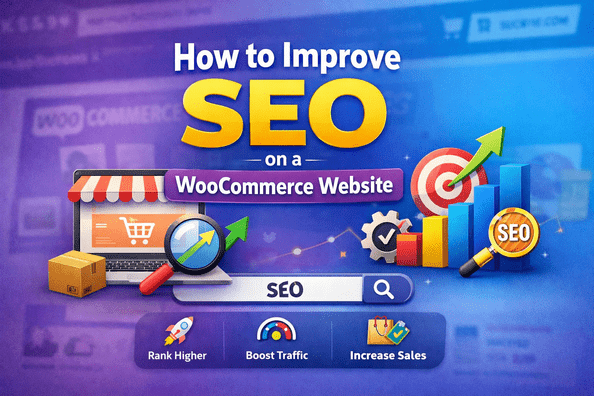
WordPressSEO & PerformanceWooCommerce
How to Improve SEO on a WooCommerce Website
A
Alex
Feb 2, 2026 · 4 min read
Introduction
A successful WooCommerce store is more than just a beautiful storefront. With millions of online shops competing for attention, having the right SEO strategy can make the difference between low sales and high revenue. WooCommerce SEO focuses on optimizing your online store so that your products, categories, and content rank high in search engines like Google. This guide provides step-by-step strategies to increase organic traffic, boost conversions, and enhance your online visibility.Why WooCommerce SEO Matters
SEO is essential for any WooCommerce store because it helps attract the right audience and improves overall user experience. Here’s why it matters:- Increases organic visibility for products and categories.
- Higher rankings lead to more traffic and sales.
- Boosts credibility by offering a trustworthy user experience.
- Targets buyer intent keywords that drive conversions.
- Reduces dependency on paid ads for traffic.
Technical SEO for WooCommerce
Technical optimization ensures that search engines can easily crawl and index your store. Focus on these areas:- Reliable Hosting & SSL: Use fast hosting and enable HTTPS to secure your store.
- Clean URLs: Keep product and category URLs short and descriptive, e.g., yourstore.com/product-name.
- XML Sitemap: Generate a sitemap and submit it to Google Search Console.
- Robots.txt: Ensure important pages are crawlable by search engines.
- Duplicate Content: Avoid multiple URLs for the same product page.
- Canonical Tags: Indicate the preferred version of a page to prevent SEO dilution.
On-Page SEO Optimization
On-page SEO ensures each page is optimized for search engines and user experience. Focus on:- Product Titles: Include your main keyword naturally.
- Meta Descriptions: Write compelling summaries under 160 characters.
- Header Tags: Use H1 for page titles, H2 for sections, and H3 for sub-sections.
- Image SEO: Optimize images with descriptive alt text and compression.
- Internal Linking: Link to related products and relevant categories.
- User Reviews: Add structured reviews to enhance content richness.
Content Strategy for WooCommerce
High-quality content attracts visitors, educates them, and encourages purchases. Key strategies include:- Create detailed product descriptions targeting buyer intent keywords.
- Maintain a blog section with guides, tutorials, and product tips.
- Include videos and images to improve engagement.
- Ensure unique content for each product to avoid duplicate content penalties.
- Optimize category pages with broader keywords to capture high-level search traffic.
Improve Site Speed
Page load speed is a key factor in WooCommerce SEO and user satisfaction:- Enable caching using plugins like WP Rocket or W3 Total Cache.
- Use a Content Delivery Network (CDN) for global audience access.
- Compress images with plugins like Smush or ShortPixel without losing quality.
- Minify CSS, JS, and HTML files to improve loading time.
- Monitor speed regularly using Google PageSpeed Insights.
Mobile SEO
With Google’s mobile-first indexing, your WooCommerce store must perform perfectly on mobile devices:- Use a responsive design for all devices.
- Check mobile page speed and usability.
- Ensure navigation is easy and buttons are accessible.
- Optimize checkout pages for mobile conversions.
Internal & External Linking
Linking plays a crucial role in WooCommerce SEO:- Internal Links: Link related products, blog posts, and categories to distribute authority.
- External Links: Link to authoritative sources to boost credibility.
- Fix broken links to maintain site SEO health.
- Create breadcrumb navigation to improve user experience and structured data signals.
Use Schema Markup
Structured data helps search engines understand your store content and improve search results appearance:- Add Product Schema including price, availability, and ratings.
- Use Breadcrumb Schema for category and product pages.
- Implement Review Schema for user feedback.
- Rich snippets improve CTR and can increase traffic.
Track, Measure, and Optimize
SEO is not a one-time activity. Monitor your WooCommerce SEO performance regularly:- Install Google Analytics and Search Console.
- Track keyword rankings, traffic, and conversion rates.
- Use tools like Ahrefs or SEMrush for regular SEO audits.
- Continuously update underperforming pages and content for better results.
Conclusion
Optimizing your WooCommerce website for SEO requires a consistent and strategic approach. By focusing on:- Technical optimization
- On-page SEO
- Content strategy
- Site speed
- Mobile usability
- Structured data
FAQ
1. How long does it take to see results from WooCommerce SEO?
Typically, results begin to appear in 3–6 months depending on competition and optimization efforts.2. Can I do WooCommerce SEO myself?
Yes, basic SEO can be implemented by store owners, but advanced optimization is often best handled by experts.3. Is SEO for WooCommerce different from regular WordPress SEO?
Yes, WooCommerce requires product page optimization, structured data, speed improvements, and e-commerce specific strategies.4. Which plugins help with WooCommerce SEO?
Popular plugins include Yoast SEO, Rank Math, WP Rocket, and Schema Pro.5. Does site speed affect WooCommerce SEO?
Absolutely. Faster websites provide better user experience and are preferred by search engines for ranking. [post_stats]#E-commerce SEO#Improve WooCommerce Rankings#Product Page SEO#SEO Tips for Online Store#Site Speed Optimization#WooCommerce Optimization#WooCommerce SEO#WordPress SEO
A
Written by
Alex
SOFTIO TECH — web development & website support.