← Back to blog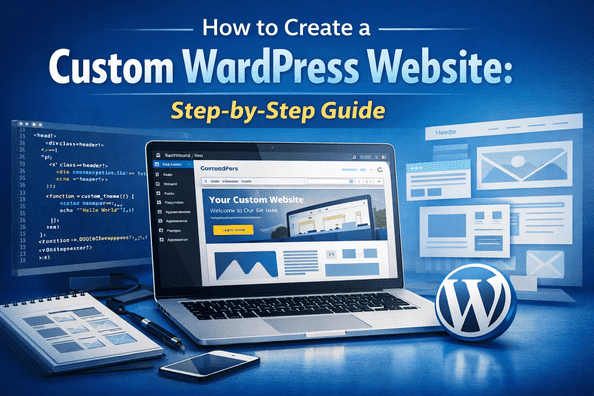
Custom Website DesignWeb DevelopmentWordPress DevelopmentWordPress Tutorials
How to Create a Custom WordPress Website
A
Alex
Feb 1, 2026 · 4 min read
- Introduction
- What Is Custom WordPress Development?
- Building Blocks of Custom WordPress Development
- Custom WordPress Website vs Theme
- Step-by-Step: Build a Custom WordPress Website
- Customize WordPress Website Design
- Add Custom Features
- Build Core Pages That Convert
- SEO, Performance, and Security Setup
- Test, Launch, and Maintain
- Conclusion
- FAQ
Introduction
A strong online presence starts with a website that truly represents your brand. While ready-made WordPress themes are convenient, they often come with limitations in design, performance, and scalability.That’s where a Custom WordPress Website becomes the ideal solution. Custom WordPress development allows you to build a website tailored exactly to your business goals — from layout and functionality to speed, SEO, and security. In this guide, you’ll learn how to create a custom WordPress website step by step, even if you’re planning it for clients or your own business.
What Is Custom WordPress Development?
Custom WordPress development means building a WordPress website that is fully personalized instead of relying on pre-built themes or templates.It focuses on:
- Custom design based on brand identity
- Optimized performance and clean code
- Custom features tailored to business needs
- Better SEO control
- Long-term scalability
Building Blocks of Custom WordPress Development
A custom WordPress website usually includes these key components:- Custom Theme: A unique layout built using HTML, CSS, PHP, and WordPress standards.
- Custom Plugins or Functions: Tailored features without unnecessary bloat.
- Optimized Database Structure: Faster load times and better performance.
- SEO-Friendly Architecture: Clean URLs, schema markup, and structured content.
- Security Enhancements: Custom hardening beyond default WordPress settings.
Custom WordPress Website vs Theme: What’s the Real Difference?
Many beginners ask whether they should use a theme or build custom. Here’s a clear comparison:| Aspect | Theme-Based Website | Custom WordPress Website |
|---|---|---|
| Design | Limited customization | Fully unique design |
| Performance | Often bloated | Lightweight & fast |
| SEO Control | Restricted | Advanced optimization |
| Scalability | Limited | Highly scalable |
| Security | Depends on theme | Custom security layers |
Step-by-Step: Start Building Your Custom WordPress Website
Step 1: Plan Your Website Structure and Requirements
Start with clarity. Define:- Target audience
- Website goals
- Required features
- Content structure
Step 2: Choose Domain and Hosting for a USA Audience
For U.S. traffic, select:- .com domain for credibility
- Fast hosting with U.S. servers
- SSL certificate and daily backups
Step 3: Install WordPress and Set the Basics Correctly
Once WordPress is installed:- Configure permalinks
- Set site title and tagline
- Remove default content
- Install essential plugins
Step 4: Pick Your Build Approach (Theme, Builder, or Custom)
You can:- Use a starter theme
- Use a page builder (for hybrid builds)
- Build completely from scratch (recommended)
Step 5a: Create a Custom WordPress Theme (Foundation)
A basic custom theme includes:- style.css
- functions.php
- header.php
- footer.php
- index.php
Step 5b: Custom WordPress Theme From Scratch (Practical Plan)
- Convert design into HTML
- Split layout into WordPress template files
- Use WordPress loops and hooks
- Register menus, widgets, and custom post types
Step 6: Customize WordPress Website Design
Focus on:- Brand colors and typography
- User-friendly layout
- Mobile-first responsiveness
- Clear call-to-action buttons
Step 7: Add Custom Features
Choose wisely between plugins and custom code:- Use plugins for common features
- Use custom code for business-specific functionality
- Avoid unnecessary plugins
Step 8: Build Core Pages That Convert
Essential pages include:- Home
- About Us
- Services
- Blog
- Contact
Step 9: Configure SEO, Performance, and Security
- Install SEO plugin
- Optimize images
- Enable caching
- Set up firewall and login protection
Step 10: Test, Launch, and Maintain
Before launch:- Test responsiveness
- Check forms and links
- Run speed tests
Conclusion
Creating a Custom WordPress Website is an investment in performance, branding, and growth.By following a structured approach — planning, development, design, SEO, and maintenance — you can build a website that stands out and delivers real business results.
FAQ
Is custom WordPress development better than themes?
Yes, it offers better performance, SEO, and flexibility.Do I need coding skills?
Basic knowledge helps, but developers can handle advanced builds.Is a custom WordPress website SEO friendly?
Absolutely. Clean code improves SEO rankings.How long does it take to build?
Usually 2–6 weeks depending on complexity.Is it scalable?
Yes, custom WordPress websites are highly scalable. [post_stats]#Custom Website Development#Custom WordPress Theme#Custom WordPress Website#SEO Friendly WordPress#Website Development Guide#WordPress Customization#WordPress Development#WordPress Development USA#WordPress for Business#WordPress Website Design
A
Written by
Alex
SOFTIO TECH — web development & website support.